Get SuperFW
SuperFW can be downloaded from the Github release page.
Download the .fw file for your cartridge and install or upgrade your Supercard. Make sure you pick
the right version for your cart, if you are unsure, keep reading.
Identify your cartridge
To properly identify what kind of Supercard cartridge you have follow the following steps carefully.
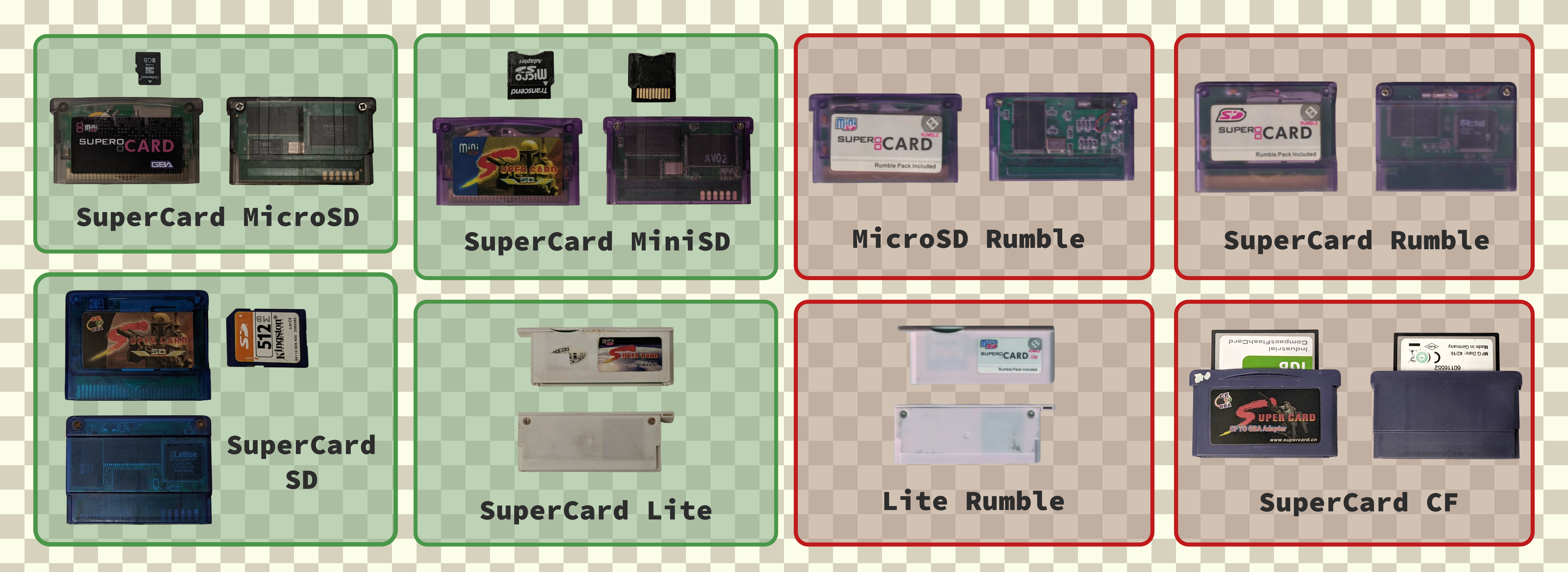
- If the device has the word “rumble” on the label, this is incompatible with SuperFW.
- If it’s an NDS-lite sized cart, it’s the “Lite” variant (be careful not to confuse it with a Lite Rumble!)
- If it uses Compact Flash cards, it’s a SuperCard CF, incompatible with SuperFW.
- Otherwise (that is, no Rumble, no CompactFlash, and no Lite) it’s a Supercard SD (either full size SD, or MiniSD or MicroSD).
You can check the following image to better identify your cart. Compatible carts are displayed in green, incompatible ones in red. (Click to enlarge)
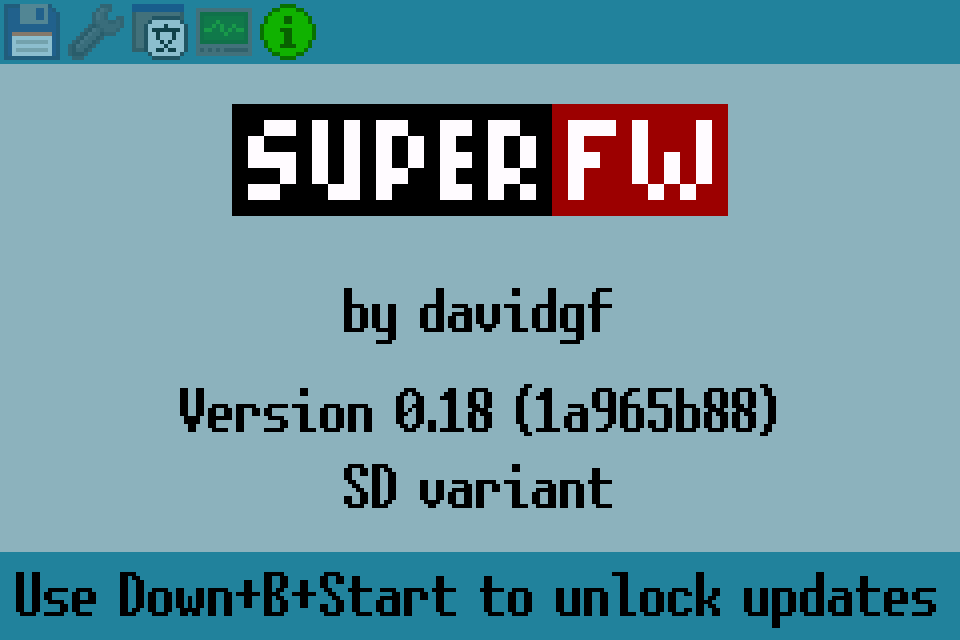
If you have a cart that already comes with SuperFW pre-installed (like some chinese sellers seem to do) you can check the Info tab. The variant is shown there.
Useful tools
You can find other tools or related software like:
- SuperFW DS flash tool: Can flash and backup any firmware using a DS console. Useful for recovery of bricked Supercards.
- SuperFW patch generation web tool: Generates SuperFW-specific patches for any GBA ROM. It generates higher quality patches than SuperFW’s built-in PatchEngine.
Extra content
SuperFW supports certain features such as cheats or running certain emulators. You might download them here:
- SuperFW cheats repository: SuperFW-compatible tested cheat codes.
- External emulators, see the emulators guide to learn how to download and install them.
You might use these or other external tools and homebrew. Please make sure you download them from trustworthy sources. They could cause issues such as data corruption or bricking your cartridge.
Source code
The source code can be found at its github repo.